Free Web Accessibility Checker for Google Chrome
Audit any page for an ADA & WCAG score, color-contrast failures, and every violation — without leaving the tab. Free, private, and no sign-up.
Install from Chrome Web StoreFree · No sign-up · 100% private
100% private
Every scan runs locally in your browser. We never see the pages you check.
Free, no sign-up
Install and start auditing — no account, no credit card, no trial clock.
In your workflow
A side panel on any tab — audit staging sites, logged-in pages, and client work in place.
Real findings
The same axe-core engine used across the accessibility industry, in plain English.
Audit any page in one click
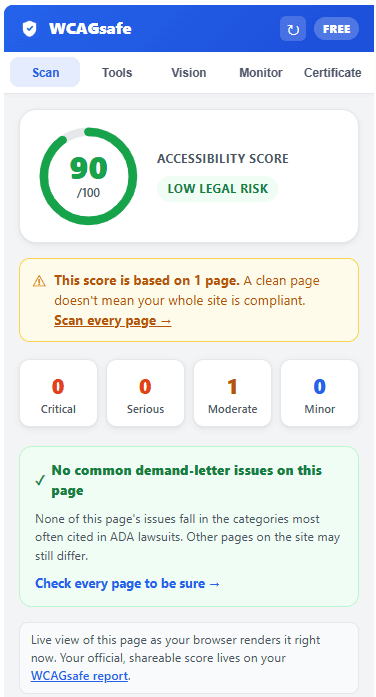
Open the side panel on any tab and hit "Audit this page". You get a 0–100 accessibility score, a severity breakdown, an ADA legal-risk summary, and every WCAG violation with its criterion and the offending code — powered by the industry-standard axe-core engine.
- Score with critical / serious / moderate / minor counts
- Flags the issues most commonly cited in ADA lawsuits
- Plain-English explanation and code snippet per issue
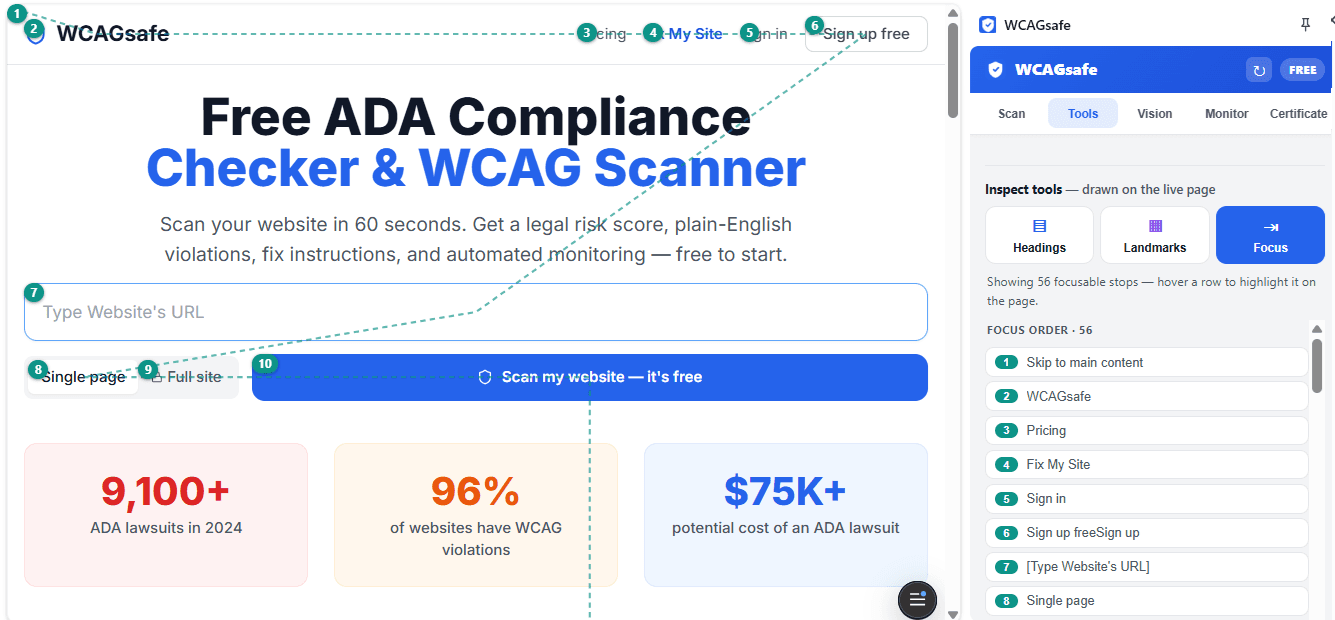
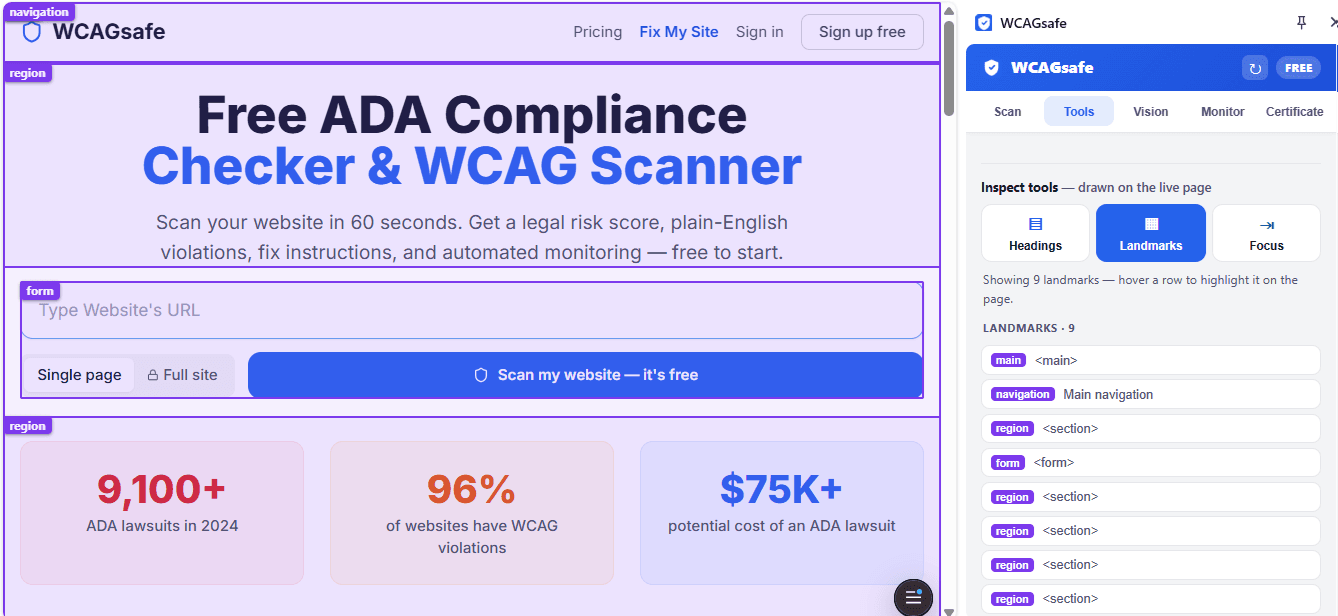
Inspect the page — live
Draw the heading outline, ARIA landmark regions, or the keyboard focus order right on the page. Hover any item in the panel and it lights up on the page — so skipped headings and focus traps are obvious in seconds.
Fix contrast without leaving the tab
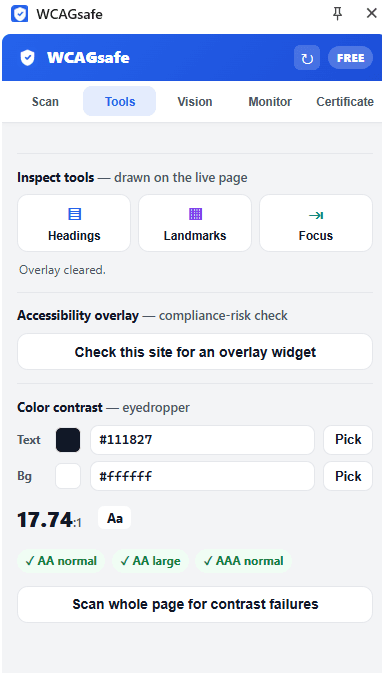
Use the eyedropper to test any two colors against WCAG AA/AAA, or scan the whole page to find every failing element — each with its ratio and a suggested passing color. You can also check whether the site is leaning on an accessibility overlay widget instead of real fixes.
- Eyedropper with live AA / AAA pass-fail
- Page-wide contrast scan with suggested colors
- Accessibility-overlay-widget detector
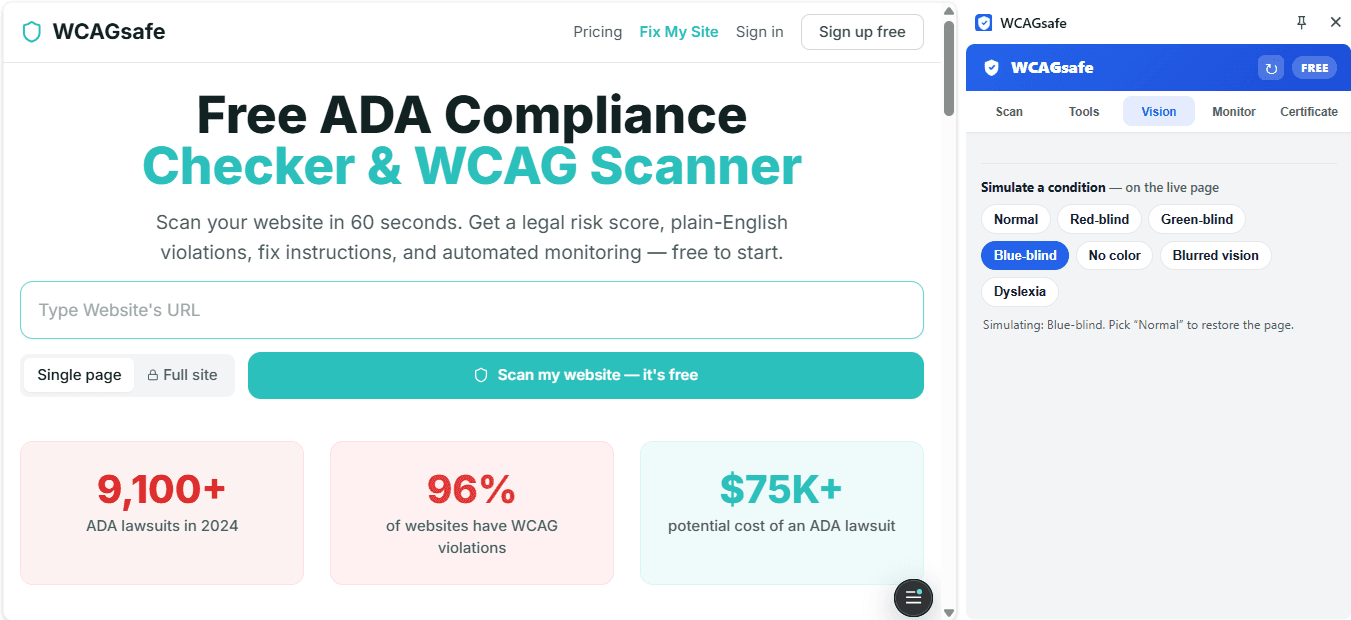
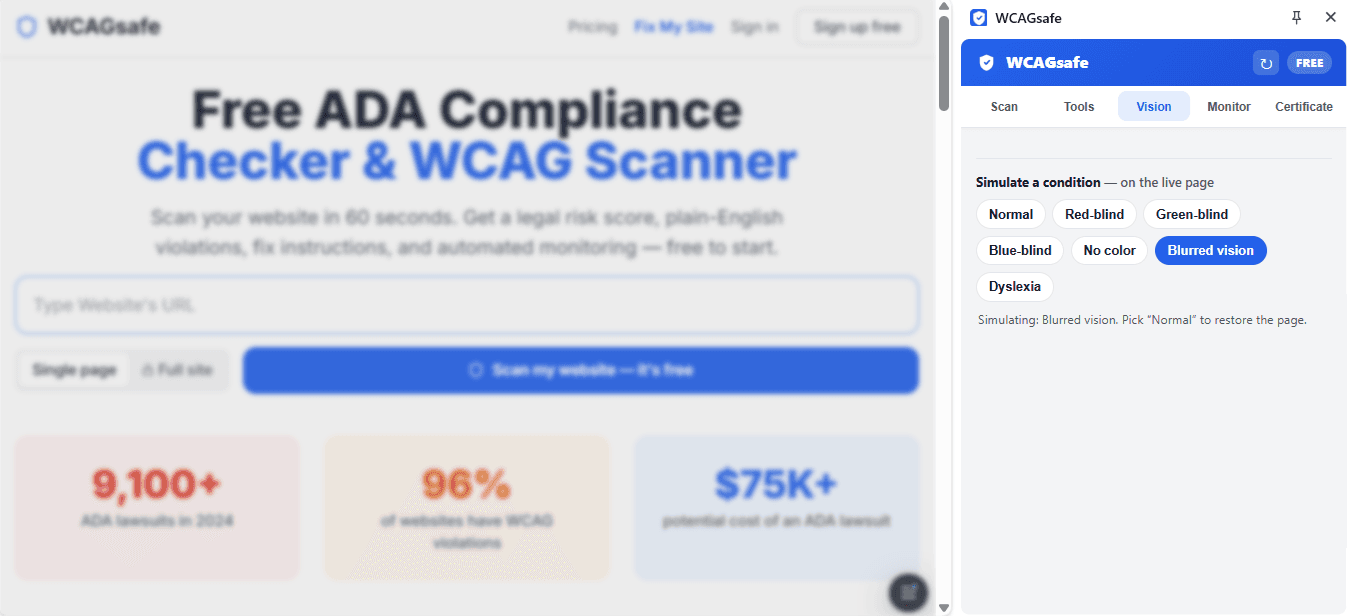
See your page the way others do
Apply a color-blindness, low-vision, or dyslexia simulation to the live page — a fast gut-check for barriers a score alone won't surface.
Install in under a minute
No setup, no configuration — install and audit.
Open the Chrome Web Store
Click "Install from Chrome Web Store" below to open the WCAGsafe listing.
Add to Chrome
Click "Add to Chrome", then confirm. The extension installs in a couple of seconds.
Pin it (optional)
Click the puzzle-piece icon in your toolbar and pin WCAGsafe so it's one click away.
Open any page and audit
Click the WCAGsafe icon to open the side panel, then "Audit this page" — that's it.
Frequently asked questions
Is the WCAGsafe Chrome extension free?
Yes. Auditing pages, the contrast checker, the on-page inspectors, and the simulators are all free and unlimited, with no account required. Whole-site scans, an ADA audit certificate, and automated monitoring are optional paid features on wcagsafe.com.
Does the extension send my data anywhere?
No. Every scan runs locally in your browser using the axe-core engine. The pages you check are never sent to a server, so it is safe to use on staging environments, logged-in pages, and client sites under NDA.
How is the extension different from the WCAGsafe website scanner?
They share the same engine, but do different jobs. The extension is a live inspector for the page open in your browser — including logged-in and staging pages — and runs entirely on your machine. The website scanner at wcagsafe.com runs on our servers, can crawl every page of a site, and produces a shareable report and certificate. Use the extension while you build and fix; use the site scanner for the official, whole-site picture.
How is it different from axe DevTools or Lighthouse?
It runs the same underlying axe-core rules, so the core checks overlap. WCAGsafe adds a 0–100 score, an ADA legal-risk lens, a color-contrast auto-scan with suggested passing colors, an overlay-widget detector, and disability simulators — presented in plain English rather than raw output.
Which browsers are supported?
The extension is built for Google Chrome (Manifest V3) and works in Chromium-based browsers that support the Chrome Web Store and the side panel, such as recent versions of Microsoft Edge and Brave.
Does it work on any website?
It works on any standard http(s) web page. It cannot scan browser-internal pages (like chrome:// settings) or the Chrome Web Store itself, which browsers block for all extensions.
Does an automated scan mean my site is ADA compliant?
No automated tool can determine legal compliance or catch every issue. The extension finds the machine-detectable problems quickly and shows which ones are commonly cited in lawsuits; a complete picture still needs manual testing. Results are informational, not legal advice.
Add WCAGsafe to Chrome — free
Audit any page for ADA & WCAG issues in seconds. No account, nothing leaves your browser.
Install from Chrome Web StorePrefer a no-install scan? Try the web checker →