Section 508 Compliance Guide: Requirements, Standards & How to Comply (2026)
Section 508 of the Rehabilitation Act requires U.S. federal agencies to make their electronic and information technology accessible to people with disabilities. This guide covers every requirement, who must comply, how it relates to WCAG and the ADA, and a practical step-by-step roadmap for achieving compliance.
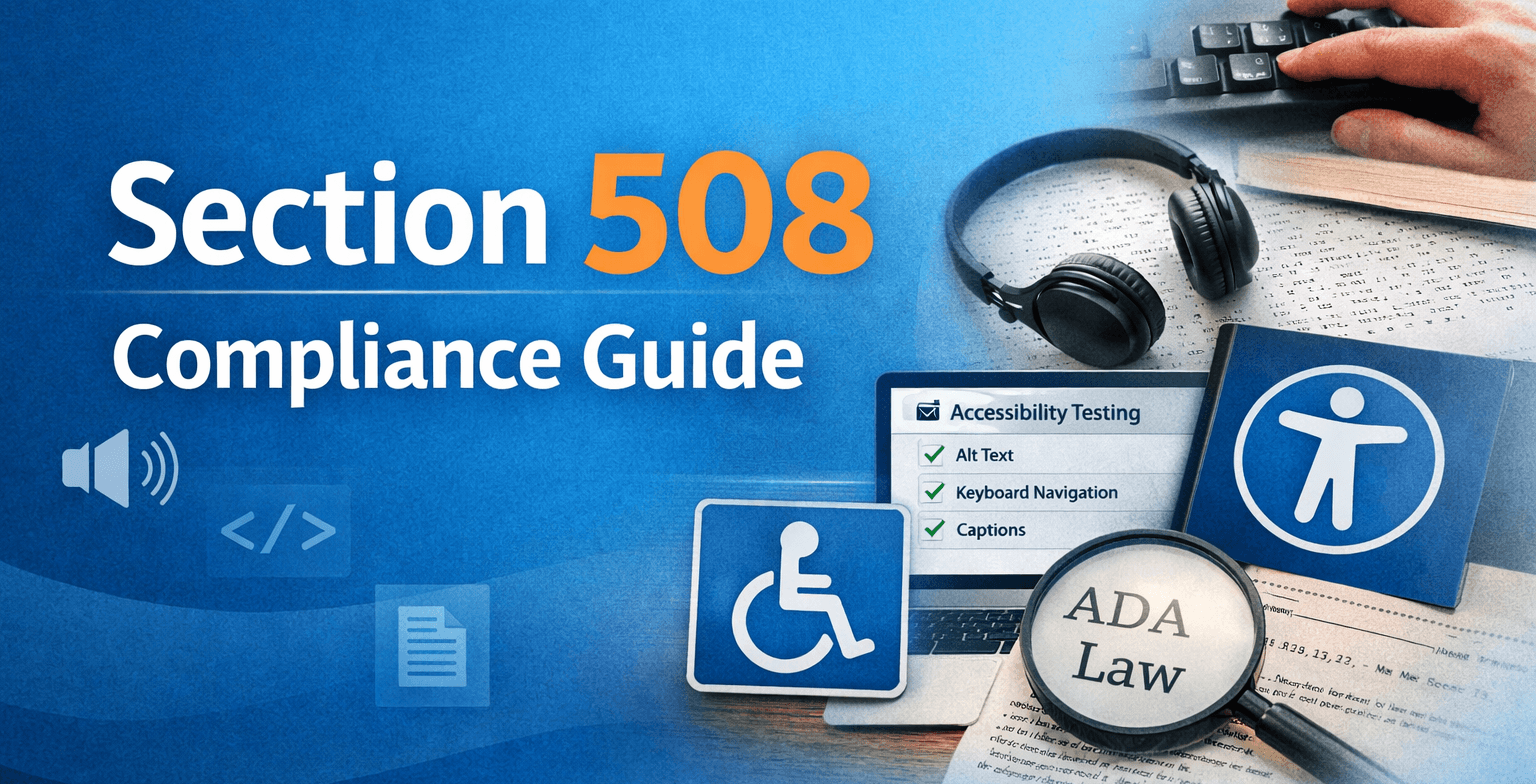
In today's digital-first world, accessibility is no longer optional — it is a legal requirement for federal agencies and a growing expectation for everyone else. Approximately 61 million adults in the United States live with a disability, and a significant number rely on assistive technology to access digital content. Section 508 is the federal law that ensures those individuals have equal access to government information and services.
Section 508 compliance is not just about avoiding legal consequences. It is about building technology that works for everyone — people who navigate by keyboard, users who rely on screen readers, individuals with low vision, cognitive disabilities, or hearing impairments. When you design for these users, you almost always improve the experience for everyone else too.
After the 2017 Section 508 refresh, the technical standards were aligned with WCAG 2.0 Level AA — the same international standard referenced by the ADA, AODA, and the European Accessibility Act. This means that for web content, Section 508 compliance and WCAG 2.1 AA compliance are effectively the same target.
This comprehensive guide walks through what Section 508 requires, who must comply, how it compares to the ADA and WCAG, and how to build and maintain compliance across websites, documents, software, and multimedia.
What Is Section 508?
Section 508 is a provision of the Rehabilitation Act of 1973 (29 U.S.C. § 794d). It requires federal agencies to develop, procure, maintain, and use electronic and information technology (EIT) in a way that provides comparable access to people with disabilities — both federal employees and members of the public who interact with agency systems.
The Access Board — an independent federal agency — is responsible for developing and maintaining the Section 508 technical standards. Enforcement falls to the agency itself, the General Services Administration (GSA), and the courts.
The core requirement in plain English
Federal agencies must ensure that people with disabilities can access and use the same information and services as people without disabilities — with the same quality, timeliness, and independence. Where equivalent access cannot be provided, the agency must provide reasonable alternatives.
Section 508 covers all electronic and information technology, not just websites. That includes desktop software, mobile applications, kiosks, telecommunications equipment, audio and video content, documents, and any hardware the agency procures or uses.
The Evolution of Section 508
Rehabilitation Act Enacted
The Rehabilitation Act of 1973 was the first major federal civil rights law protecting people with disabilities. Its primary focus was on employment discrimination in federal agencies and programs receiving federal funding. Section 508 was not yet in the law.
Section 508 Added
Section 508 was added to the Rehabilitation Act in 1986 as electronic technology began entering the federal workplace. The original provision was relatively weak — it encouraged accessibility but lacked enforcement mechanisms and specific technical standards.
Significant Strengthening
The Workforce Investment Act of 1998 substantially amended Section 508. Congress recognized the explosive growth of digital technology and made compliance mandatory for federal agencies. It also directed the Access Board to develop specific technical and functional performance standards, and gave individuals with disabilities the right to file complaints and lawsuits.
The Section 508 Refresh
The Access Board published updated standards in January 2017, with agencies required to comply by January 18, 2018. This refresh was the most significant update since 1998. Key changes: the technical standards for web content were replaced with WCAG 2.0 Level AA; the standards were harmonized with WCAG 2.0, the EU standard EN 301 549, and other international frameworks; software and hardware standards were also modernized.
WCAG 2.1 and Beyond
While Section 508 formally references WCAG 2.0, the Access Board and federal guidance encourage agencies to target WCAG 2.1 AA, which adds mobile and cognitive accessibility improvements. WCAG 2.2 was published in October 2023 and is expected to be incorporated into future Section 508 guidance as the standard evolves.
Who Must Comply with Section 508?
Section 508 applies to a broader set of organizations than many people realize. It is not limited to federal agencies themselves.
U.S. Federal Agencies
All executive branch agencies — including the Department of Defense, Department of Education, IRS, VA, and hundreds of others — must comply with Section 508 for all EIT they develop, procure, maintain, or use.
Federal Contractors and Vendors
Any company selling electronic or information technology products or services to a federal agency must provide technology that conforms to Section 508. This includes software vendors, web development firms, document management providers, and hardware suppliers.
Organizations Receiving Federal Funding
Recipients of federal financial assistance — including universities, state agencies, hospitals, and nonprofits — may also be subject to Section 508 requirements through the conditions attached to their funding.
State and Local Agencies
State and local government agencies are generally governed by ADA Title II rather than Section 508 directly. However, many states have enacted their own Section 508-equivalent laws, and agencies receiving federal grants may be subject to Section 508 through funding conditions.
Universities in particular face significant PDF accessibility obligations through both Section 508 and Section 504. See our complete guide to PDF accessibility for universities for a detailed breakdown of OCR enforcement, WCAG requirements, and remediation steps.
Even if Section 508 does not legally apply to your organization, following its standards is widely considered best practice. WCAG 2.1 AA — the Section 508 web content standard — is also the benchmark used by courts when evaluating ADA website accessibility claims.
What Does Section 508 Cover?
Section 508 applies to all electronic and information technology in six broad categories:
| Category | Examples | Key Standard |
|---|---|---|
| Web & Software | Public websites, intranets, web apps, desktop apps, mobile apps | WCAG 2.0 AA (2.1 recommended) |
| Electronic Documents | PDFs, Word docs, Excel spreadsheets, PowerPoint presentations | PDF/UA, WCAG document success criteria |
| Multimedia | Training videos, webinars, audio content, video conferencing | Captions, transcripts, audio descriptions |
| Telecommunications | Phone systems, video relay services, TTY/TDD equipment | Section 255 / FCC standards |
| Hardware & Kiosks | Computers, printers, ATMs, check-in kiosks, copiers | Functional performance criteria |
| Support Services | Help desks, training materials, technical documentation | Must be accessible in the same modality |
Key Technical Requirements for Web Content
For web content, Section 508 requires conformance with WCAG 2.0 Level AA success criteria. These are organized under the four POUR principles: Perceivable, Operable, Understandable, and Robust. Here are the most critical requirements — and what failure looks like in practice. For detailed fix guidance, see our complete guide to fixing WCAG violations.
Perceivable
- 1.1.1Text alternatives for all non-text content (images, icons, charts)
- 1.2.1–1.2.3Captions for pre-recorded video; transcripts for audio-only content
- 1.3.1Content must be presentable in different ways without losing meaning — proper use of semantic HTML
- 1.4.3Minimum 4.5:1 color contrast for normal text; 3:1 for large text
- 1.4.4Text resizable to 200% without loss of content or functionality
Operable
- 2.1.1All functionality available from a keyboard — no mouse required
- 2.1.2No keyboard traps — users must be able to navigate away from any component
- 2.3.1No content that flashes more than 3 times per second
- 2.4.1Skip navigation links to bypass repetitive content
- 2.4.2Unique, descriptive page titles
- 2.4.7Visible keyboard focus indicator
Understandable
- 3.1.1Language of page declared in HTML (lang attribute)
- 3.2.1–3.2.2Pages behave predictably — no unexpected context changes on focus or input
- 3.3.1–3.3.3Error identification and suggestions — forms must clearly communicate what went wrong and how to fix it
- 3.3.2Labels or instructions for all user input fields
Robust
- 4.1.2Name, role, and value exposed for all UI components — use semantic HTML or ARIA
- 4.1.3Status messages announced to assistive technology without requiring focus
Section 508 vs WCAG vs ADA: How They Relate
These three frameworks are frequently confused because they overlap significantly. Here is how they differ — and where they converge.
| Feature | Section 508 | WCAG 2.1 AA | ADA Title III |
|---|---|---|---|
| Type | U.S. federal law | International technical standard | U.S. civil rights law |
| Issued by | U.S. Access Board / Congress | W3C (World Wide Web Consortium) | U.S. Department of Justice |
| Applies to | Federal agencies & contractors | Anyone who wants to follow it | Businesses open to the public |
| Scope | All EIT (web, software, docs, hardware) | Web and digital content | Physical + digital places of public accommodation |
| Enforcement | Complaints, lawsuits, contract penalties | N/A — it is a guideline | DOJ enforcement, private lawsuits |
| Technical standard | WCAG 2.0 AA (2.1 recommended) | Self-defined | Courts use WCAG 2.1 AA as benchmark |
| Covers documents? | Yes — PDFs, Word, Excel | Partially — document success criteria | Not explicitly, but courts have ruled broadly |
In practice, targeting WCAG 2.1 Level AA satisfies the web content requirements of all three frameworks simultaneously. The ADA compliance checklist and Section 508 web requirements are functionally identical for most organizations.
Most Common Section 508 Violations
Federal accessibility audits consistently find the same categories of violations. These are the issues most likely to appear in a Section 508 conformance review:
Issue: Missing or inadequate alt text on informative images
Fix: Add descriptive alt text to all non-decorative images. Use empty alt="" for decorative images.
Issue: Text fails the 4.5:1 minimum contrast ratio against its background
Fix: Adjust foreground/background color combinations to achieve at least 4.5:1 for normal text and 3:1 for large text (18pt or 14pt bold).
Issue: Form inputs lack programmatically associated labels
Fix: Use <label for="id"> associated with each input, or aria-label/aria-labelledby when a visible label cannot be provided.
Issue: Interactive elements not reachable or operable by keyboard; keyboard traps
Fix: Ensure all interactive elements receive Tab focus. Modal dialogs must trap focus while open and release it on close. Never remove outline without providing an alternative focus indicator.
Issue: Missing page title; skipped or absent heading hierarchy
Fix: Every page must have a unique, descriptive <title>. Use a single H1 per page, with H2–H6 used in a logical, non-skipping order.
Issue: Ambiguous link text — "click here", "read more", "learn more" — that provides no context
Fix: Write descriptive link text that communicates the destination or purpose without surrounding context. Use aria-label to supplement when visible text must remain short.
Issue: Videos lack captions; pre-recorded video lacks audio descriptions
Fix: Provide synchronized closed captions for all pre-recorded video. Add audio descriptions when the video's visual track contains information not spoken in the audio.
Issue: HTML document language not declared
Fix: Add lang="en" (or appropriate language code) to the <html> element of every page. Use lang attribute on inline elements where language switches mid-content.
Step-by-Step Section 508 Compliance Roadmap
Achieving Section 508 compliance is a structured process, not a one-time event. This roadmap applies whether you are a federal agency conducting an internal audit, a contractor preparing a VPAT, or an organization adopting Section 508 standards voluntarily.
Conduct a Section 508 Conformance Audit
Start by inventorying all EIT in scope — websites, web apps, desktop software, mobile apps, documents, and multimedia. Run automated accessibility scans on web content to surface WCAG 2.1 AA violations. Follow up with manual testing: keyboard-only navigation, screen reader testing with NVDA or JAWS on Windows and VoiceOver on macOS/iOS, and user testing with people who use assistive technology.
- Automated tools catch roughly 30–40% of accessibility issues — manual testing is essential for the rest
- Prioritize public-facing pages and high-traffic entry points first
- Document every issue with its location, WCAG criterion, and severity
Create a Voluntary Product Accessibility Template (VPAT)
A VPAT is a standardized document that describes how a product or service conforms to Section 508 standards. Federal agencies and contractors commonly require VPATs during procurement. The current version is VPAT 2.5, which includes templates for Section 508, WCAG 2.x, and EN 301 549. Completing an accurate VPAT requires a thorough conformance evaluation.
- Use the ITIC VPAT 2.5 template — the most widely accepted format
- Be honest about partial conformance — overstating compliance creates liability
- Update your VPAT whenever you release significant product changes
Remediate Web Content Violations
Prioritize fixes based on impact. Critical violations — missing alt text, keyboard traps, missing form labels, low color contrast — block users entirely and should be addressed first. Serious violations reduce usability significantly. Moderate and minor violations should follow in subsequent sprints.
- Fix keyboard traps immediately — they make content completely unusable without a mouse
- Add alt text to all informative images; use empty alt="" for decorative images
- Ensure all form fields have visible, programmatically associated labels
Remediate Documents and Multimedia
PDFs must be properly tagged, have a logical reading order, include alt text for images, declare a document language, and use accessible table markup. Videos must have accurate closed captions. Audio-only content needs transcripts. Pre-recorded video with audio needs audio descriptions if visual content conveys information not in the audio track.
- Use Adobe Acrobat's Accessibility Checker to identify PDF issues
- Auto-generated captions (YouTube, Teams) are rarely accurate enough — always review and correct them
- Commission human-created captions for any training, regulatory, or compliance-critical content
Build Accessibility Into Your Development Process
Retrofitting accessibility is expensive and unreliable. Integrate accessibility into your design system, component library, and code review process. Define acceptance criteria that include accessibility requirements. Add automated accessibility testing (axe-core, Pa11y) to your CI/CD pipeline so violations are caught before code ships.
- Include accessibility acceptance criteria in every user story that touches UI
- Use semantic HTML as the default — avoid div-based navigation and custom controls
- Add axe-core to your automated test suite to catch regressions
Section 508 Compliance for Documents
Document accessibility is one of the most frequently overlooked aspects of Section 508 compliance. Federal agencies publish enormous volumes of PDFs, Word documents, spreadsheets, and presentations — all of which must be accessible.
PDF Documents
- Tagged PDF structure (headings, lists, tables, figures)
- Logical reading order that matches visual order
- Alt text for all informative images
- Document language declared
- Accessible table markup with header cells
- Document title set in properties
- No scanned-image-only pages (must be text-selectable)
Microsoft Office Documents
- Use built-in heading styles (Heading 1, 2, 3) — not just bold text
- Alt text on all images, charts, and SmartArt
- Descriptive hyperlink text — not raw URLs
- Table header rows identified
- Document title and language set in properties
- Sufficient color contrast for all text
- Run the built-in Accessibility Checker before publishing
Before publishing any document, run the accessibility checker built into Microsoft Word, Excel, and PowerPoint (Review → Check Accessibility). For PDFs, use Adobe Acrobat's Accessibility Checker or a browser-based tool to check tagging, reading order, and alt text.
Section 508 Enforcement: What Happens If You Don't Comply?
Section 508 enforcement operates through several channels, and the consequences extend beyond fines.
Administrative Complaints
Individuals with disabilities can file formal complaints with a federal agency's designated Section 508 coordinator, or with the General Services Administration. Agencies are required to investigate and respond to these complaints.
Civil Litigation
After exhausting administrative remedies, complainants can file a lawsuit in federal court. Courts have the authority to compel compliance and award attorney's fees. Unlike some ADA cases, compensatory damages are generally not available for Section 508 violations alone, but the legal costs of defending a lawsuit are significant.
Contract Consequences
For contractors and vendors, non-compliance can mean loss of contracts, contract modifications requiring remediation, or being excluded from future procurement. Federal acquisition regulations require contracting officers to include accessibility requirements in technology contracts.
Reputational and Operational Risk
Federal agencies that repeatedly fail Section 508 compliance face Congressional scrutiny, OIG audits, and negative press coverage. For contractors, a reputation for inaccessible products can foreclose future federal business.
Tools for Section 508 Compliance Testing
No single tool catches every Section 508 issue. An effective testing program combines automated scanning, manual keyboard and screen reader testing, and input from users with disabilities.
Automated Web Scanners
- WCAGsafe — Scans pages against WCAG 2.1 AA with plain-English fix instructions
- axe DevTools — Browser extension and API for developer testing
- WAVE — Browser extension with visual overlay showing errors and alerts
- Lighthouse — Built into Chrome DevTools; includes accessibility scoring
Screen Readers
- NVDA (Windows) — Free, widely used screen reader — standard for testing
- JAWS (Windows) — Most common enterprise screen reader; used by many federal workers
- VoiceOver (macOS/iOS) — Built-in Apple screen reader; required for iOS testing
- TalkBack (Android) — Built-in Android screen reader for mobile testing
Document Testing
- Adobe Acrobat Accessibility Checker — Built-in PDF accessibility check within Acrobat Pro
- Microsoft Accessibility Checker — Built into Word, Excel, PowerPoint — run before export
- PAC (PDF Accessibility Checker) — Free desktop tool for PDF/UA conformance testing
- CommonLook PDF — Enterprise-grade PDF remediation and checking tool
Color Contrast
- Colour Contrast Analyser — Desktop app by TPGi for checking exact contrast ratios
- WebAIM Contrast Checker — Browser-based tool; enter hex values to check ratios
- Colour Contrast Checker (browser ext) — Inspect any element on a live page
- Figma / Sketch plugins — Design-time contrast checking for early problem detection
The Business Case for Section 508 Compliance
Even for organizations not legally required to comply, Section 508 standards make strong business sense.
📈
Larger Addressable Market
61 million U.S. adults — about 1 in 4 — have some type of disability. Globally, over 1.3 billion people live with a disability. Accessible technology reaches this audience. Inaccessible technology excludes them entirely.
🔍
SEO Benefits
Many accessibility improvements directly boost search rankings: descriptive alt text, semantic HTML structure, proper heading hierarchy, descriptive link text, and fast load times. Search engines process your content much like screen readers do.
⚖️
Aligned With Court Standards
Over 8,600 ADA website accessibility lawsuits were filed in 2025. While Section 508 and ADA Title III are distinct, following Section 508 standards puts you well within the WCAG 2.1 AA threshold that courts use for ADA cases.
🏆
Competitive Advantage in Federal Procurement
For vendors competing for federal contracts, a verified Section 508 conformance claim and an up-to-date VPAT can differentiate your product from less accessible competitors during the procurement evaluation process.
💡
Better UX for Everyone
Accessible design improves usability for all users: keyboard shortcuts help power users, clear error messages help everyone filling out forms, sufficient color contrast aids users in bright light, and captions are used by millions of people who simply prefer them.
🌍
International Compliance Readiness
Section 508 aligns with EN 301 549 (the European standard underpinning the EU Accessibility Act) and WCAG 2.1 AA. Organizations meeting Section 508 are already largely compliant with international accessibility frameworks.
Best Practices for Maintaining Section 508 Compliance
Compliance is not a destination — it is an ongoing program. Sites change, content is added, third-party integrations are updated. Any of these can introduce new violations. These practices keep compliance from degrading over time.
Designate a Section 508 Coordinator
Federal agencies are required to have one. Even for other organizations, a named owner for accessibility — someone who reviews new features, trains content creators, and monitors for regressions — is the single biggest structural change that drives sustained compliance.
Include Accessibility in Your Procurement Process
Before purchasing any software or service, request a current VPAT. Review it critically — a vague or outdated VPAT is a red flag. For high-risk purchases, conduct your own conformance evaluation before signing a contract.
Train Content Creators, Not Just Developers
Most ongoing accessibility failures come from content — inaccessible PDFs uploaded to a CMS, images without alt text, tables pasted from Excel without headers. Train everyone who touches your digital content, not only the development team.
Automate What You Can, Then Test Manually
Integrate an automated accessibility scanner into your CI/CD pipeline to catch common violations before they ship. But automate with realistic expectations — automated tools catch 30–40% of issues. Screen reader and keyboard testing are essential complements.
Publish and Maintain an Accessibility Statement
An accessibility statement tells users what standard you target, how to report issues, and how to get accessible alternatives for any content that cannot currently be made accessible. It demonstrates good faith and provides a remediation channel before complaints escalate.
Test With Real Assistive Technology Users
Automated tools and developer keyboard testing miss real-world patterns. Include people who use screen readers, voice control, or switch access devices in your usability testing. Their experience with your actual content is irreplaceable.
The Future of Section 508 and Accessibility Standards
Accessibility standards are not static. Several developments will shape what Section 508 compliance looks like in the coming years.
WCAG 2.2 Adoption
WCAG 2.2 became the W3C Recommendation in October 2023. While Section 508 formally references WCAG 2.0, federal guidance increasingly points to WCAG 2.1 and 2.2. The next formal Section 508 refresh is expected to incorporate WCAG 2.1 or 2.2 AA as the baseline technical standard for web content.
WCAG 3.0 on the Horizon
The W3C is developing WCAG 3.0 (formerly "Silver"), a significant restructuring of the guidelines with a new scoring model, broader scope beyond web content, and explicit coverage of mobile and emerging technologies. WCAG 3.0 is expected to move toward W3C Recommendation status later in this decade.
AI and Automated Accessibility
AI tools are increasingly capable of generating alt text, producing captions, and identifying accessibility barriers at scale. These tools help compliance teams work faster, but they are not a replacement for human judgment — especially for complex content, nuanced descriptions, and real-world assistive technology testing.
Expanded Scope of ADA Coverage
Courts continue to expand what constitutes a "place of public accommodation" under the ADA, with recent rulings extending coverage to mobile apps and connected devices. As this converges with Section 508 standards, the practical compliance target for all organizations narrows toward the same WCAG-based framework.
Check your site against WCAG 2.1 AA now
WCAGsafe scans your pages with axe-core and returns a full violation list with plain-English explanations and fix instructions. Set up automated monitoring to stay current as your site and accessibility standards evolve. Free to start.
Run a free scanFrequently Asked Questions
Does Section 508 apply to private companies?
Section 508 directly applies to U.S. federal agencies and any contractor or vendor providing electronic and information technology to those agencies. Private companies not working with the federal government are not legally required to comply with Section 508, but may be subject to ADA Title III requirements for their public-facing websites and applications.
What is the difference between Section 508 and WCAG?
Section 508 is a U.S. federal law that mandates accessibility for EIT used by federal agencies. WCAG is an international technical standard. After the 2017 Section 508 refresh, the law incorporated WCAG 2.0 Level AA as its technical standard for web content. Meeting WCAG 2.1 AA satisfies Section 508 web requirements.
What is a VPAT?
A Voluntary Product Accessibility Template (VPAT) is a standardized document that describes how a technology product or service conforms to Section 508 standards. Federal agencies typically require vendors to provide a completed VPAT before purchasing technology. The current standard is VPAT 2.5, published by the Information Technology Industry Council (ITIC).
Does Section 508 apply to intranet websites?
Yes. Section 508 applies to all electronic and information technology developed, procured, maintained, or used by federal agencies — including internal intranet systems, employee-facing software, documents, and hardware.
When was Section 508 last updated?
Section 508 was significantly refreshed in January 2017, with the updated standards taking effect on January 18, 2018. This refresh aligned the technical requirements with WCAG 2.0 Level AA and harmonized them with international accessibility standards.
Related Guides
WCAG 2.2 vs 2.1: What Changed and What It Means for Your Website
Read ADA ComplianceADA Website Compliance Checklist for Small Businesses in 2026
Read WCAG GuideHow to Fix WCAG Violations: Complete Guide for Non-Developers
Read ADA ComplianceADA Title II Deadline Extended to 2027–2028 — Is Your Website Ready?
Read