Accessibility Overlays and Widgets — Why They Don't Work (and What Actually Does)
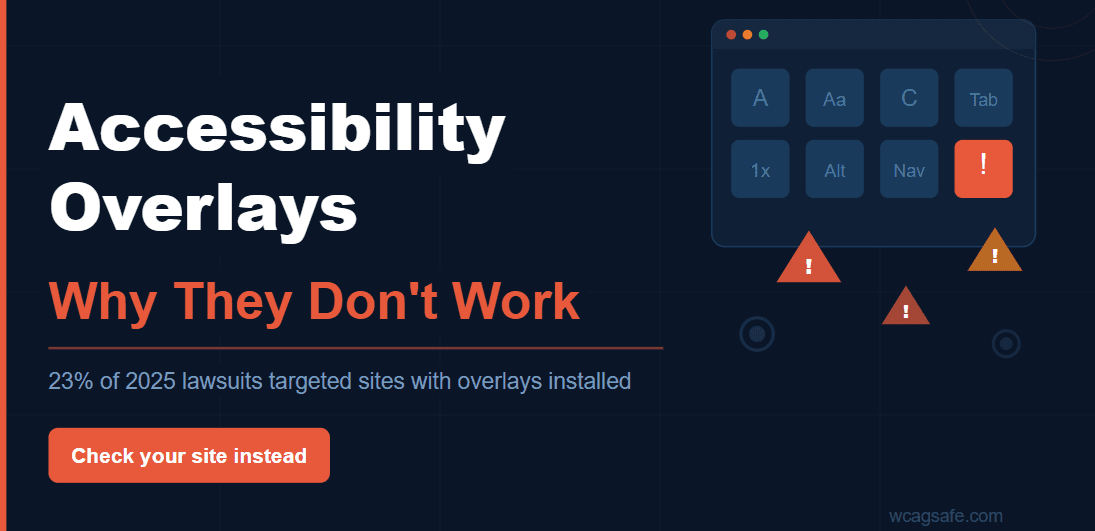
Using an accessibility overlay? You may still be at legal risk.
Dozens of ADA lawsuits have been filed against websites that had overlay tools installed. Courts assess whether users can actually access your site — not whether a widget is present.
Scan your website freeIf you've ever received a sales email promising "instant ADA compliance" for a monthly fee, you've been pitched an accessibility overlay. These tools are installed with a single line of JavaScript and present users with a floating button to adjust text size, contrast, and other visual settings.
The pitch is compelling: skip the expensive developer work, get compliant overnight, and protect your business from the rising tide of ADA lawsuits. For a business owner without a technical background, it sounds too good to be true.
It is. Accessibility overlays do not fix your website. They do not make you ADA compliant. And in a growing number of cases, they have not stopped businesses from getting sued. This article explains exactly why — and what actually works.
What Is an Accessibility Overlay?
An accessibility overlay is a third-party script added to your website that layers a set of user-facing controls on top of your existing pages. When a visitor clicks the floating accessibility icon, they get a panel with options like:
- Larger text
- High-contrast or dark mode
- Dyslexia-friendly fonts
- Keyboard navigation helpers
- Text-to-speech
- Pause animations
Some overlay vendors go further and claim their tool uses AI to automatically detect and "fix" accessibility issues in your code behind the scenes — injecting ARIA labels, rewriting button text, and adjusting heading structure without you touching your codebase.
On the surface, this sounds like a reasonable solution. In practice, it falls apart almost immediately under real-world usage.
Why So Many Businesses Fall for Overlays
The accessibility overlay industry grew because it identified a genuine problem: most businesses know they should be accessible but have no idea where to start, and fixing real issues requires developer time and money.
Overlay vendors fill that gap with aggressive marketing. Their sales materials typically feature:
- "WCAG 2.1 AA compliant in 48 hours"
- "Reduce your legal exposure immediately"
- "AI-powered — no code changes needed"
- "Trusted by 200,000+ websites"
For a business owner who just received an ADA demand letter or heard about a competitor getting sued, these claims are exactly what they want to hear. The problem is that none of them hold up to scrutiny.
The Core Problem: You Can't Fix Structure from the Outside
Web accessibility is about how your website is built — not how it looks. The issues that affect users with disabilities are almost entirely structural:
- Images without descriptive alt text
- Form fields with no labels
- Buttons with no discernible text
- Pages that can't be navigated by keyboard alone
- Videos without captions
- Poor heading structure that makes the page impossible to navigate with a screen reader
These issues live in your HTML, your CSS, and your JavaScript. An overlay script running on top of your page cannot reliably rewrite your source code. It can attempt to inject ARIA attributes and labels on the fly, but this creates a fragile, inconsistent result that regularly breaks — particularly on complex or dynamic websites.
Think of it this way: an overlay is like painting a ramp over stairs in a photograph. The stairs are still there. People in wheelchairs still can't get in. The photograph just looks different.
8 Reasons Accessibility Overlays Fail
1. They Can't Fix Semantic Structure
Screen readers — used by blind and low-vision users — navigate pages by reading the underlying HTML structure. They depend on proper heading hierarchy, landmark regions, and semantic elements like <button>, <nav>, and <label>.
If your page uses <div> elements styled as buttons, or has headings in the wrong order, or has form inputs with no labels — an overlay cannot reliably fix this. It can attempt to inject ARIA attributes, but an incorrect ARIA label is often worse than no label at all, because it tells the screen reader the wrong thing.
2. They Break Assistive Technology
Users who rely on screen readers like NVDA, JAWS, or VoiceOver typically already have their settings configured the way they need them. Overlays try to layer additional functionality on top of these tools — and they frequently conflict.
Documented issues include duplicate announcements (the screen reader reads the same text twice), focus traps (the keyboard gets stuck inside the overlay panel), and overridden settings (the overlay changes contrast settings that the user had already configured at the OS level). For users who depend on these tools every day, this isn't inconvenient — it's completely unusable.
3. They Can't Find Everything
Even the most sophisticated automated detection can only identify a portion of accessibility issues. The W3C's own research estimates that automated tools catch approximately 30–40% of WCAG violations. The rest — complex keyboard interactions, meaningful image descriptions, caption quality, logical reading order — require human judgment.
Overlay vendors that claim their AI "detects and fixes" your issues are operating within that same 30–40% ceiling. The majority of your violations remain untouched, invisible to the overlay, and fully accessible to a plaintiff's attorney.
4. They Put the Burden on Disabled Users
Every accessibility overlay requires the user to find the widget, open it, and configure their preferences — on every website they visit, every time. This is a direct inversion of what accessibility means.
A user who is blind cannot see the overlay button. A user with motor impairments may not be able to click it. A user who relies on a screen reader may not know the widget exists at all. The entire premise assumes the disabled user can access the overlay in order to make the site accessible to them — which is circular and often simply false.
5. Many Overlays Aren't Accessible Themselves
This is perhaps the most damning failure of the overlay category. Independent testing by accessibility researchers has repeatedly found that the overlay panels themselves fail basic accessibility standards — buttons that can't be reached by keyboard, poor focus management, screen reader labels that don't describe the controls correctly.
The National Federation of the Blind, along with hundreds of blind users, have signed an open letter calling on businesses to stop using overlay tools specifically because of how disruptive they are to assistive technology users.
6. They Create False Confidence
One of the most dangerous aspects of overlays is what they do to the business owner's perception of risk. When you've paid for a tool and it tells you your site is "compliant," you stop looking for problems. You may delay real fixes. You may cancel planned developer work.
This false confidence can actually increase your legal exposure. If a plaintiff can show that you were aware of accessibility issues (you installed a tool to address them) but failed to actually fix them, that awareness works against you.
7. Courts Don't Care About Your Widget
ADA compliance is a legal standard, not a technical certification. Courts evaluate whether users with disabilities can actually access your goods and services. They do not care whether you have a widget installed.
Multiple ADA lawsuits have been filed against websites that had overlay tools installed — with plaintiffs arguing successfully that the overlay failed to provide equal access. In documented cases, courts have sided with plaintiffs despite the presence of an overlay tool, because the underlying site remained inaccessible to screen reader users.
If you're relying on an overlay for legal protection, you don't have legal protection. You have a widget.
8. They Are a Single Point of Failure
Overlay scripts depend on a third-party CDN. If that service goes down, has an outage, or experiences a network error, every accessibility "fix" the overlay was providing disappears instantly. Your site reverts to its original inaccessible state — and any user who depends on those fixes is stranded.
Real accessibility — built into your code — works whether or not a third-party server is available, because there is no third-party server involved.
The Legal Reality: What ADA, AODA, and WCAG Actually Require
The ADA does not specify a technical standard directly, but courts and the Department of Justice have consistently referenced WCAG 2.1 Level AA as the operative benchmark for website accessibility. Meeting WCAG 2.1 AA requires your website to be:
Perceivable
All content — including images, video, and audio — must be available in a form users can perceive. This means alt text, captions, transcripts, and sufficient color contrast.
Operable
Every function on your site must be reachable and usable by keyboard alone, without a mouse. Menus, forms, buttons, and modals all need to work.
Understandable
Content must be readable and predictable. Error messages must explain the error. Navigation must behave consistently.
Robust
Your code must be written in a way that assistive technologies can reliably interpret it — now and as those technologies evolve.
In Canada, AODA mandates WCAG 2.0 Level AA compliance for most organizations. The European Accessibility Act, coming into full effect in 2025, aligns closely with WCAG 2.1 AA. None of these frameworks consider an overlay "compliant" — they require the underlying content to be accessible.
The ADA Title II web accessibility rule makes this even more urgent for state and local government websites, explicitly requiring WCAG 2.1 AA compliance with no overlay exemptions.
What Actually Works
Real accessibility is not complicated in concept — it is simply a matter of finding the issues and fixing them in your actual code. Here is what that looks like in practice.
1. Run an Automated Scan
The fastest way to understand your current state is an automated scan against WCAG 2.1 AA criteria. Tools like WCAGsafe scan your live website using axe-core — the same engine used by Google Lighthouse and Microsoft — and produce a plain-English report of every violation, organized by severity. You get the full picture in minutes, not weeks.
2. Fix Issues at the Code Level
Every violation in your scan report needs to be fixed in your actual HTML, CSS, or JavaScript. This does not mean a full redesign — most issues are small, targeted changes. How to fix WCAG violations breaks down the most common issues and exactly what your developer needs to do.
3. Prioritize by Severity
Not every violation carries the same legal risk. Critical issues — missing image alt text, unlabeled form fields, keyboard traps — are the violations most frequently cited in ADA demand letters. Fix these first. A good scan report tells you exactly which to prioritize.
4. Monitor Continuously
Accessibility is not a one-time task. Every time you update your website — a new landing page, a redesigned form, a new product section — new violations can be introduced. Automated monitoring catches regressions before they become legal exposure.
5. Document Your Efforts
If you ever do receive a demand letter, documented good-faith remediation efforts are your strongest defense. Scan reports, fix logs, and monitoring history demonstrate active commitment — courts view this favorably.
The Real Cost Comparison
Overlay vendors typically charge $49–$490/month depending on your website size. That sounds cheap compared to developer work — until you factor in what you're actually getting.
Accessibility Overlay
- $49–$490/month ongoing
- Doesn't fix underlying code
- Breaks assistive technology
- Doesn't prevent lawsuits
- Fails when third-party goes down
- Creates false sense of compliance
Real Accessibility
- One-time fix cost per issue
- Fixes root causes in your code
- Works with assistive technology
- Genuine legal protection
- No third-party dependency
- Documented remediation history
The average cost of an ADA lawsuit settlement runs $25,000–$75,000, with legal defense fees often exceeding $30,000 even when the defendant wins. Most of the violations that lead to lawsuits — missing alt text, unlabeled buttons, keyboard inaccessibility — cost a developer a few hours to fix.
Common Myths About Accessibility Overlays
Myth: "It's better than doing nothing."
Reality: Not always. An overlay that breaks screen reader navigation is worse than no overlay at all. It can actively make your site harder to use for the people it claims to help.
Myth: "We'll fix the code later — the overlay buys us time."
Reality: It doesn't buy legal time. Courts don't offer grace periods for overlay use. And because the overlay creates false confidence, "later" often never arrives.
Myth: "Our overlay vendor said we're compliant."
Reality: Overlay vendors cannot certify legal compliance. Only a court can determine that. Several overlay vendors have made compliance claims in their marketing that have since been challenged in litigation.
Myth: "Nobody with disabilities uses our website anyway."
Reality: Approximately 1 in 4 adults in the US has some form of disability. People with low vision, motor impairments, and cognitive disabilities are among your existing customers — you just can't see them in your analytics if your site prevents them from completing actions.
What to Do If You're Currently Using an Overlay
You don't need to rip it out overnight. But you do need a real plan. Here's where to start:
- Run a real scan. Find out what violations actually exist on your site — not what the overlay claims to fix.
- Get a prioritized fix list. Not every issue carries the same risk. Start with the critical violations that appear most frequently in ADA lawsuits.
- Give your developer the fix instructions. Most violations can be fixed quickly with targeted code changes. You don't need a full rebuild.
- Set up automated monitoring. Catch new issues as your site evolves.
- Remove the overlay once real fixes are in place. It's a liability, not a safety net.
The ADA compliance checklist for small businesses walks through the full process step by step.
Frequently Asked Questions
Do accessibility overlays make my website ADA compliant?
No. Courts evaluate whether users with disabilities can actually access your content — not whether a widget is installed. Dozens of lawsuits have been filed against websites that used overlay tools.
Can I get sued if I use an accessibility overlay?
Yes. Websites using accessibility overlays have been successfully sued under the ADA. Plaintiffs have specifically argued that overlays failed to provide equal access, and courts have agreed.
What is the difference between an overlay and real accessibility?
An overlay sits on top of your website and tries to patch issues without changing your code. Real accessibility means the underlying HTML structure, interactions, and content are built to work with assistive technologies from the ground up.
How do I know what's actually wrong with my site?
Run an automated WCAG scan. WCAGsafe scans your website in minutes and produces a plain-English report of every violation by severity — with exact fix instructions your developer can action immediately.
The Bottom Line
Accessibility overlays are a product built around a fear — the fear of ADA lawsuits — not around solving the actual problem. They charge a recurring fee for a false sense of security, actively harm the users they claim to help, and have repeatedly failed to prevent the lawsuits they promise to protect against.
Real accessibility is not a plugin. It is your website — built correctly, tested regularly, and documented thoroughly. It protects your business, reaches more customers, and does not put a "we tried" disclaimer where your user experience should be.
The good news: finding your real violations takes minutes, not weeks. And most of them are straightforward for a developer to fix once they know exactly what and where.
Find Out What's Actually Wrong With Your Site
Stop guessing. WCAGsafe scans your website against WCAG 2.1 AA in minutes and gives you a prioritized, plain-English report — with exact fix instructions your developer can use today.
Scan your website free →